blog
PVYbusiness OS: The Swiss Enterprise Platform Built for Digital Sovereignty
How a Swiss team built an all-in-one business operating system that rivals enterprise SaaS — without sacrificing data sovereignty, security, or control.
Why We Built PVYbusiness OS
Every growing business eventually faces the same crossroads: adopt a patchwork of third-party SaaS tools (CRM, project management, invoicing, client portal, website CMS, e-signature, file sharing), or accept the compromises of a monolithic ERP. Either way, your data ends up in someone else's cloud, governed by someone else's terms, and leaking telemetry to analytics platforms you never consented to.
We chose a third path.
PVYbusiness OS is a fully integrated business platform — designed, built, and hosted entirely on Swiss sovereign infrastructure. It combines a (decoupled from PVYbusiness OS) public-facing website with a rich customer portal, project management, invoicing with online payment, proposals with legally binding e-signatures, a self-service order system with automated contract creation, a file library, and a built-in help center. All powered by a single backend, served from a single domain, with zero third-party analytics, zero tracking pixels, and zero data leaving Switzerland.
This is not a proof of concept. It runs our business today.
The Architecture: One Platform, No Seams
PVYbusiness OS follows a server-side rendering (SSR) architecture. Every page — whether it is a public blog post, a pricing table, or a client's invoice — is rendered on the server and delivered as a fully formed HTML document. The browser receives a complete page instantly, then hydrates into a reactive single-page application for subsequent navigation.
The server is a custom Node.js HTTP server. No framework. No middleware stack. No dependency on Express, Fastify, or Next.js. Every route, every security header, every cookie is handled by code we wrote and control. This is intentional: after witnessing supply-chain compromises in the Node.js ecosystem, we chose to minimize our dependency surface to what we can audit and understand.
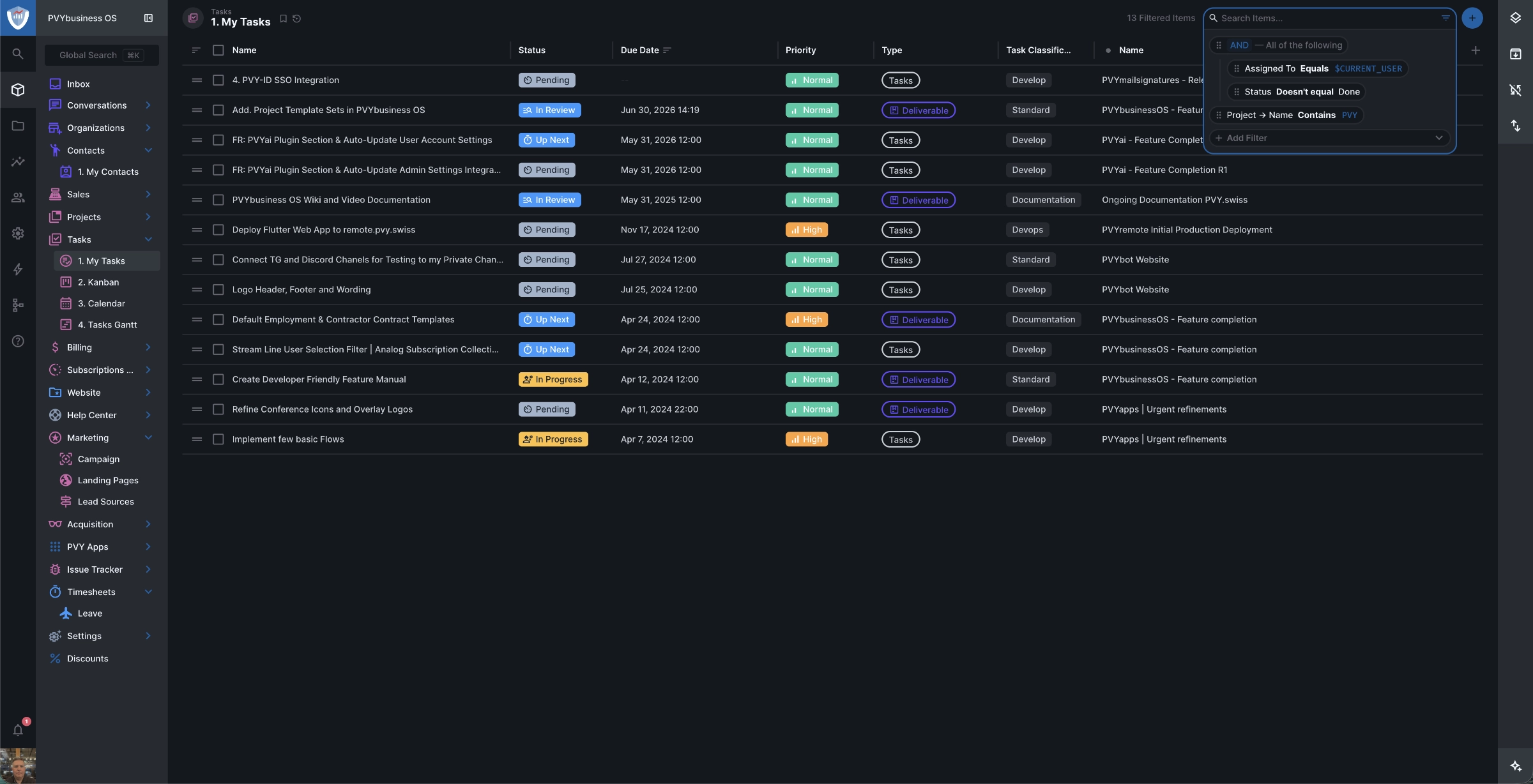
The content management system drives all public pages through a modular block-based page builder. Editors compose pages from 25 distinct content block types — hero sliders, feature grids, pricing tables, FAQ accordions, testimonial carousels, video embeds, step-by-step guides, call-to-action sections, rich text, galleries with light-box, multi-column layouts, and more. Every block is CMS-driven: no code changes needed to add a page, rearrange content, or launch a campaign.
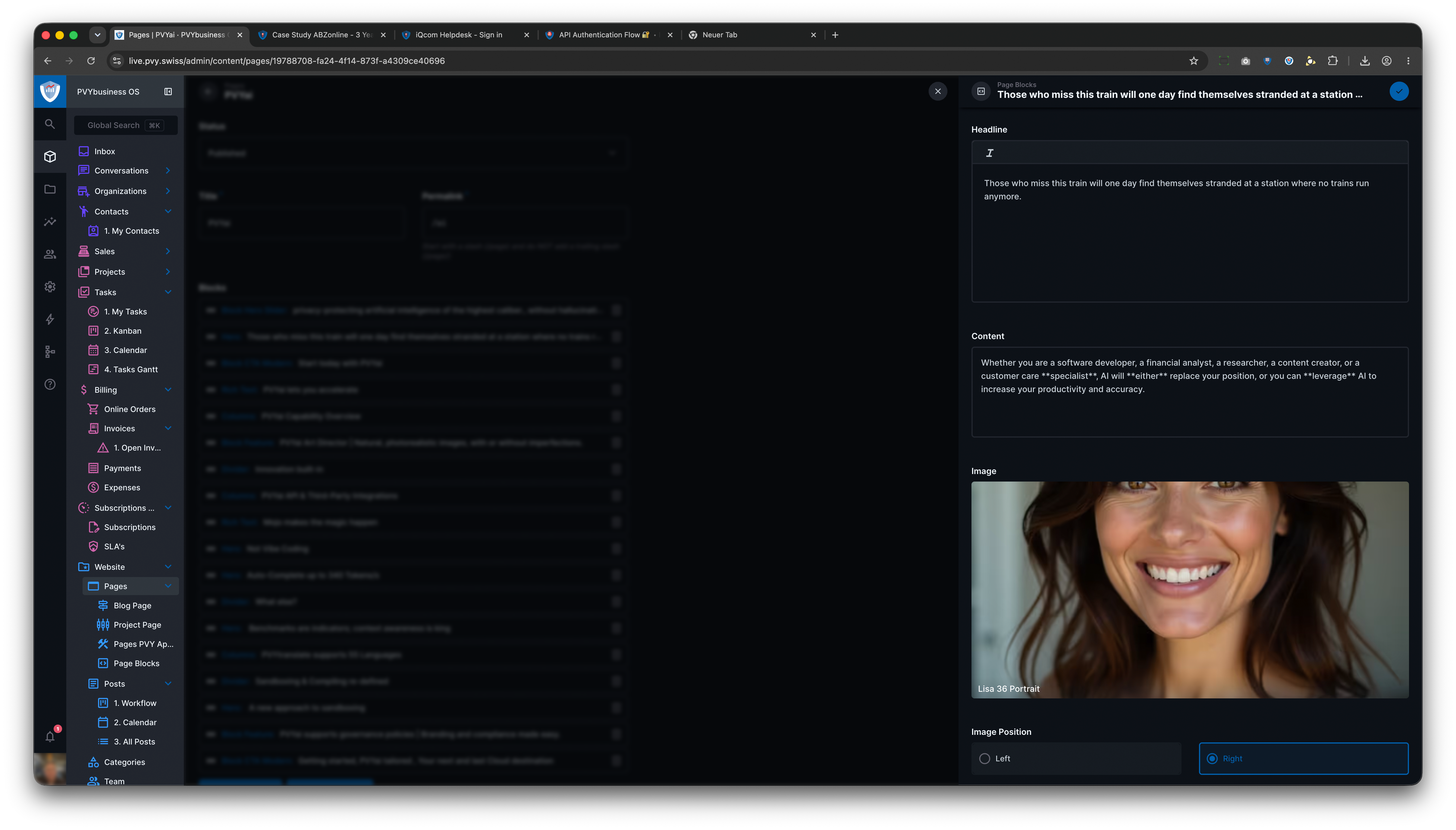
Noteworthy: PVYbusiness OS runs for ourself in the Office Rack, where the PVYcms with eCommerce runs in in the PVY Datacenter. Publishing a new item on this Blog, takes 22 milliseconds to appear "rendered" online fully functional, where the latency between those endpoints is in average 14 milliseconds.
The Customer Portal: Your Clients' Window Into Your Business
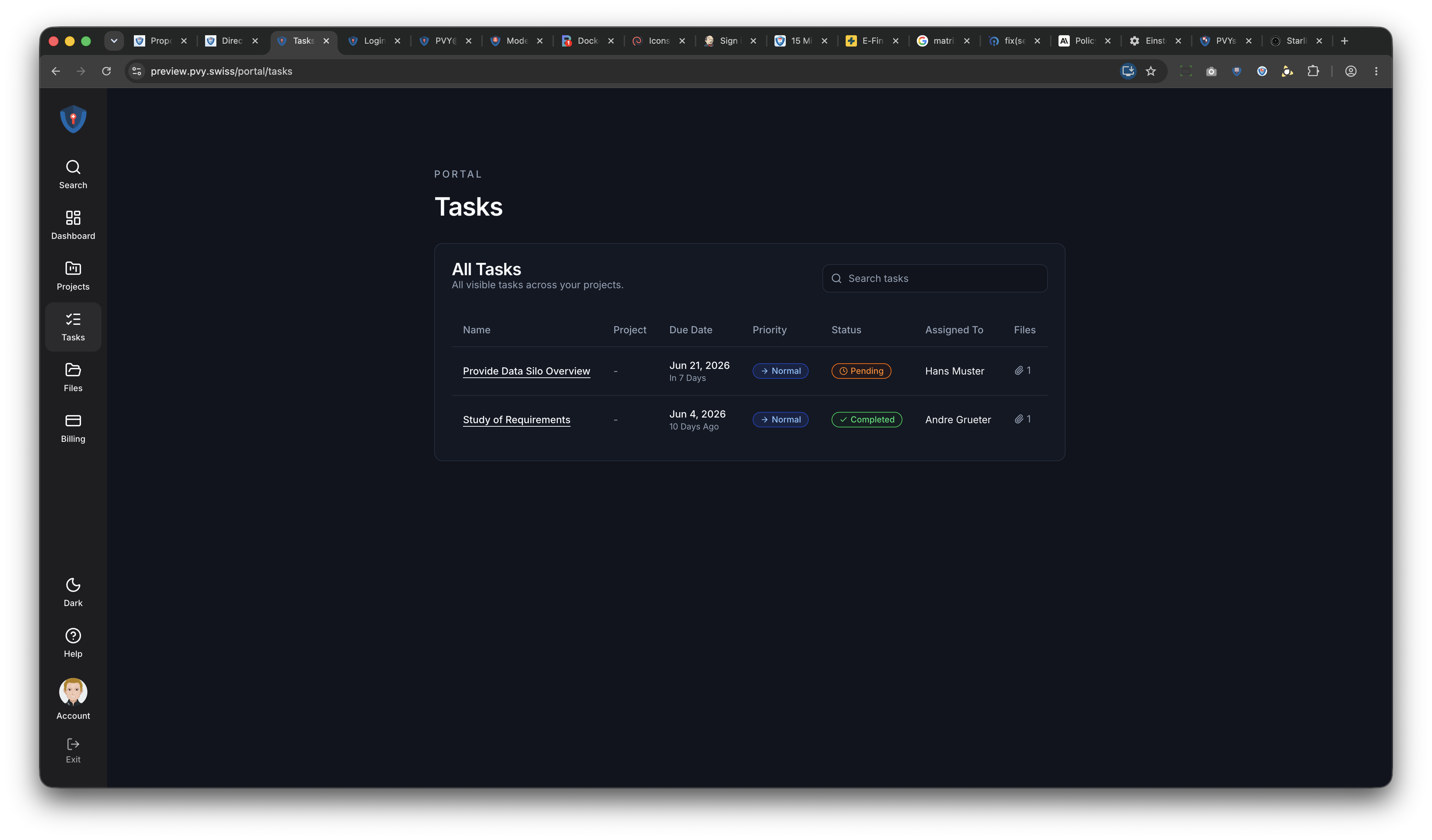
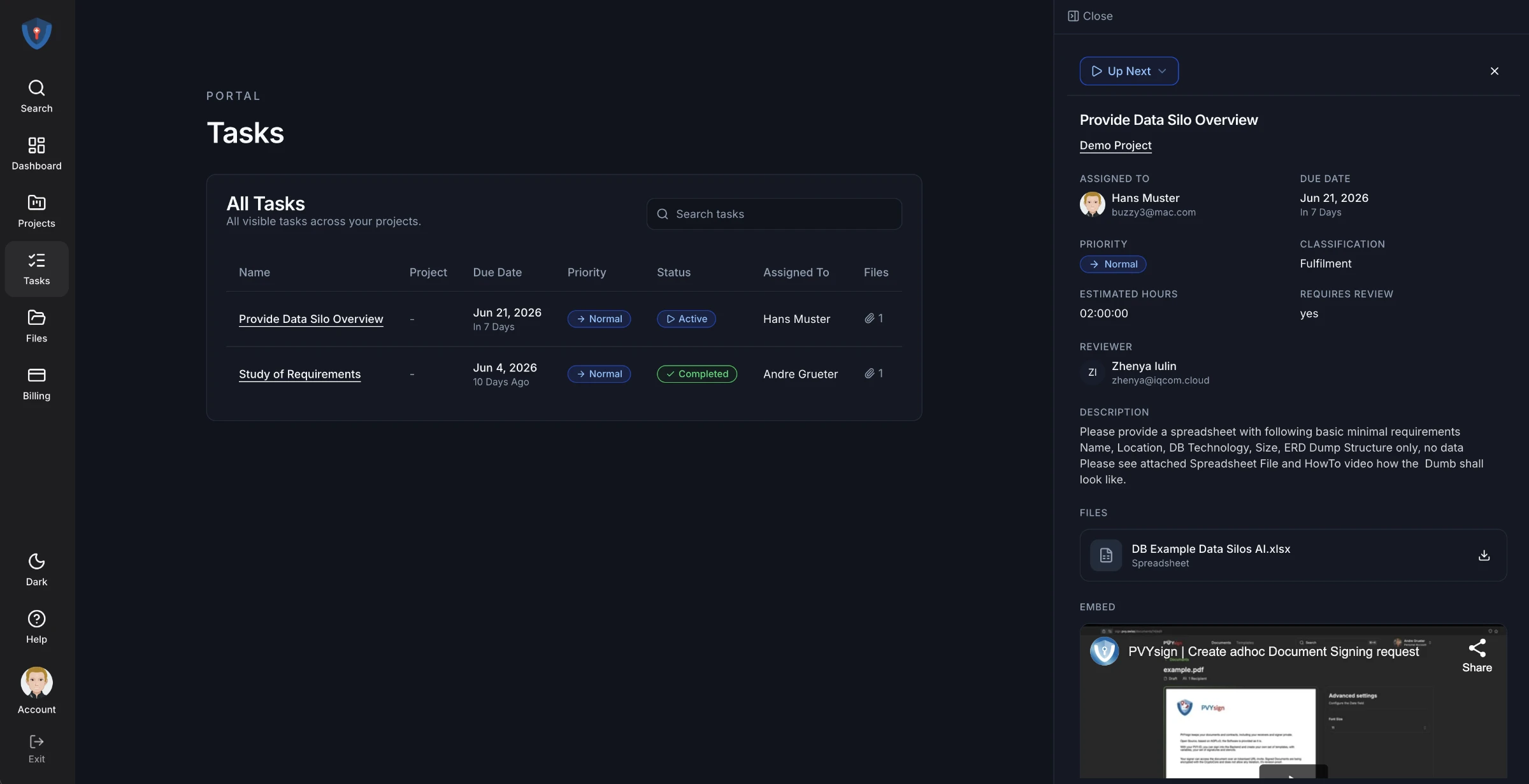
Behind the login screen sits a full-featured client workspace. When a customer signs in — via email/password or PVY Single Sign-On — they land on a personalized dashboard showing their open invoices, pending tasks, and quick links to every section of their account.
Projects & Task Visibility
Invoicing & Online Payment
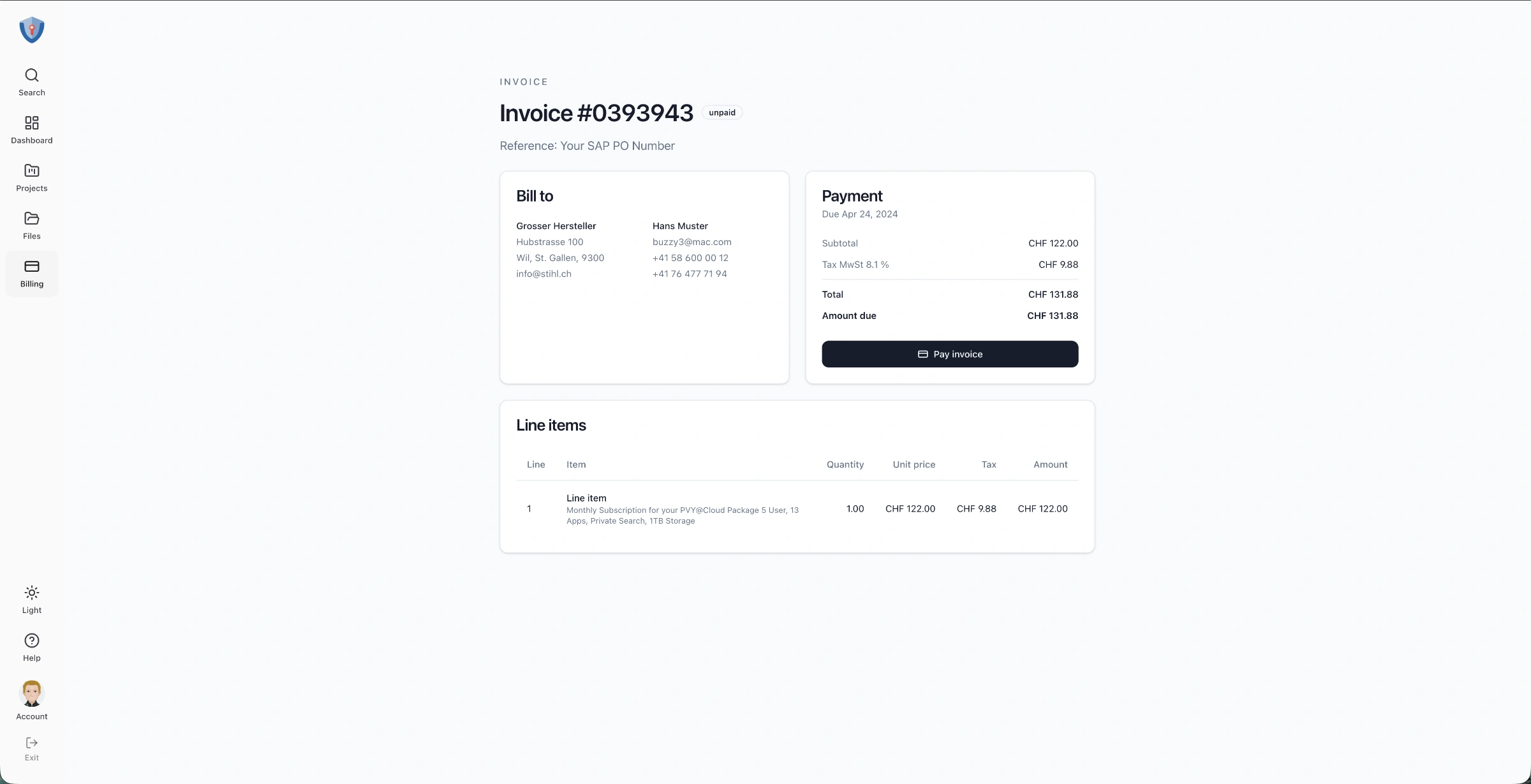
The billing section lists all invoices with search, status filtering (Open, Paid, Void), and a summary of total amount due. Each invoice detail page shows the bill-to address, line items with quantities and amounts, tax calculation, and payment history with links to Stripe receipts. Clients click "Pay Invoice" and complete payment through a Stripe Checkout session — the entire flow is white-labeled, secure, and integrated. Payment confirmation webhooks automatically record the transaction back into the system.
Proposals & E-Signature
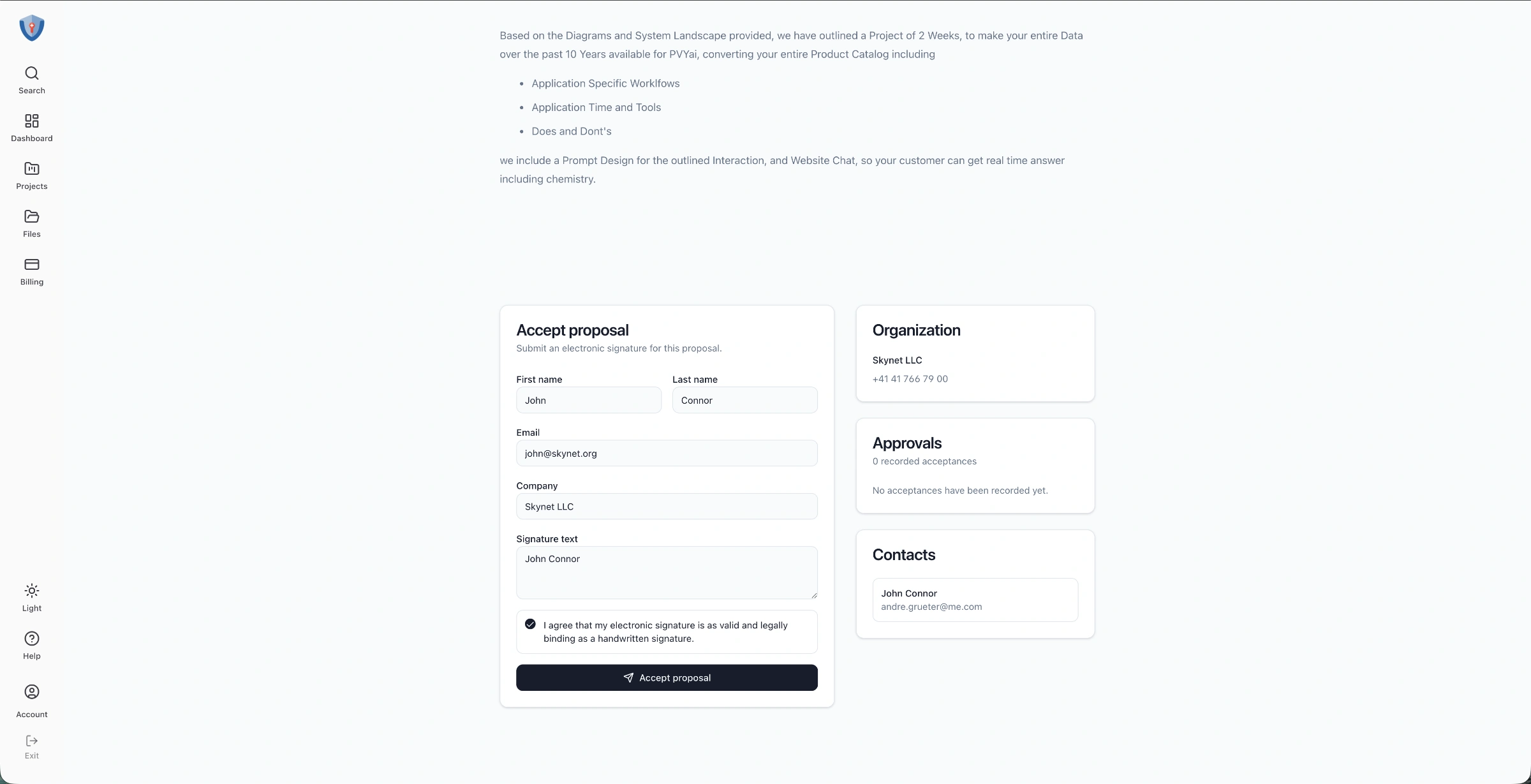
When you send a proposal to a client, they see the full document rendered with the same CMS page builder blocks used on the public website — meaning proposals can include rich media, pricing tables, process diagrams, and any content block your team uses. At the bottom, a legally binding e-signature form lets the client accept with their typed name and an explicit consent checkbox. All acceptances are timestamped and recorded.
File Library
Clients access a folder-based file library scoped to their organization. Image files show thumbnail previews; any file can be opened in a new tab or downloaded. Avatars are uploaded to organization-specific folders, keeping every client's assets cleanly separated. PVYbusiness OS have the choice: Use PVYbusiness OS as Storage, or PVYfiles.
Help Center
A dual-access help center serves both public visitors (indexed by search engines) and portal users (private, no-index). Help articles and collections are managed through the CMS and rendered consistently across both contexts.
The Self-Service Order System
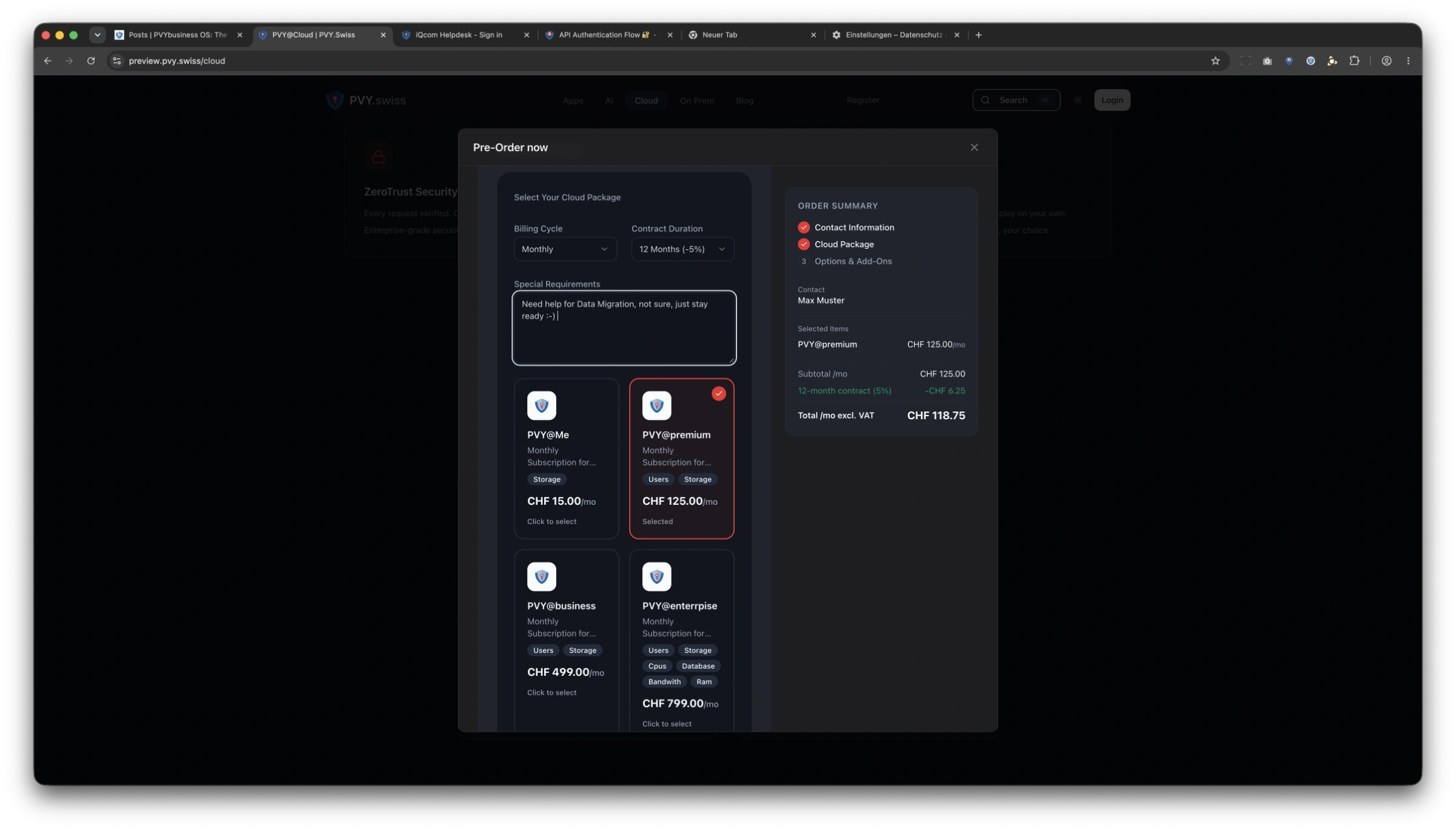
One of PVYbusiness OS's most distinctive capabilities is its multi-step order wizard — a CMS-driven, server-enriched form system that takes a visitor from product selection to contract creation in a single flow.
How It Works
The wizard is composed of steps defined in the CMS. Each step can contain form fields (text inputs, dropdowns, checkboxes, phone fields with country-aware formatting) and product cards. Product cards display SaaS packages, subscriptions, SLA tiers, and consumable add-ons with icons, descriptions, prices, and quantity selectors. For sure with Items from your Product & Service Catalog, including Options, Variants and Consumables. (Like a Product Configurator, but it doesn't generates you 480 Products Variants in the System, like others do, it is smart enough.)
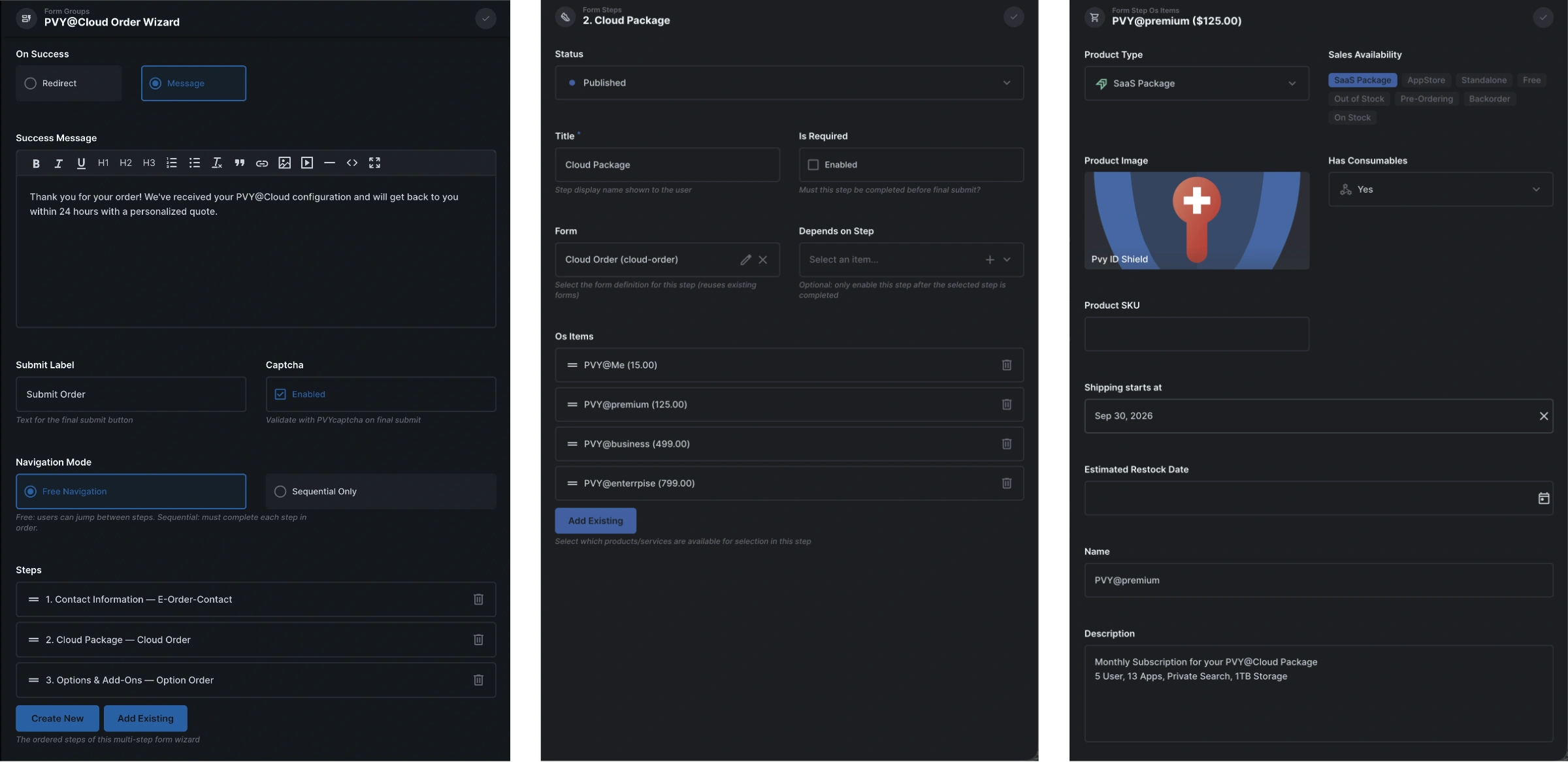
As the visitor progresses, a real-time order summary sidebar calculates their monthly cost, applies contract duration discounts (5% for 12 months, 7% for 24 months, 10% for 36 months — displayed as a dedicated line item per Swiss law), and shows the total before VAT.
When the visitor submits, the server performs a cascade of operations in a single transaction:
1. Organization creation — finds or creates the company record, deduplicating by email 2. Contact creation — finds or creates the contact, links them to the organization 3. Order record — creates the order with a sequential order number (ORD-1001, ORD-1002, ...) 4. Subscription contract — creates a draft subscription with the selected billing cycle, SLA level, and discount, including individual line items for each selected product 5. Inbox entry — creates a notification record for the sales team
All of this happens server-side. The browser never sees an API token, never knows the backend URL, and never touches the database directly.
Automated Onboarding
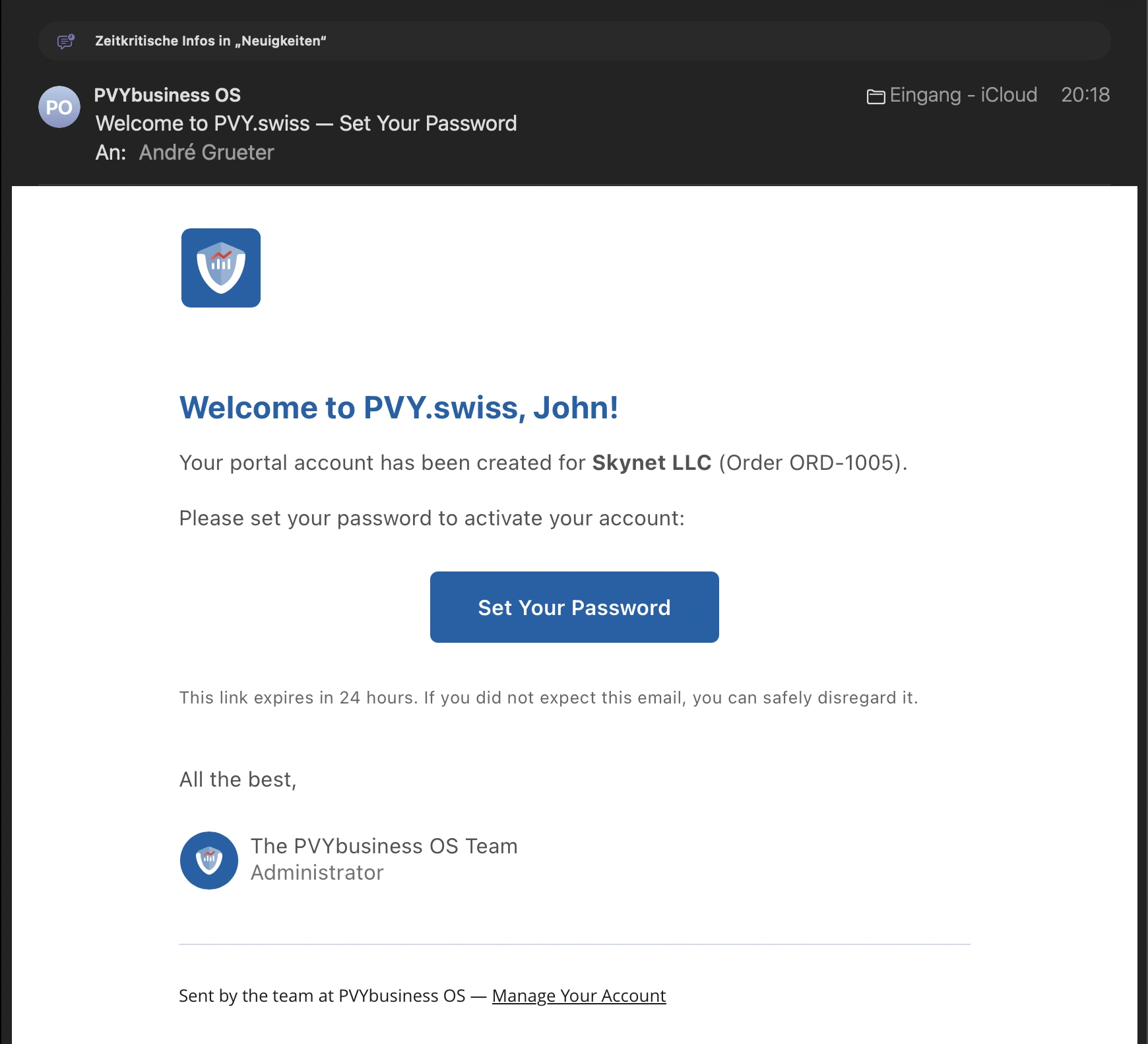
When employee confirms an order, a backend automation flow triggers:
- Reads the order and linked contact
- Creates a portal user account with the Client role
- Links the contact record to the new user
- Generates a cryptographically signed one-time password token (HMAC-SHA256, 24-hour TTL)
- Sends a branded welcome email with a secure set-password link
The customer clicks the link, sets their password, and immediately has access to their portal — projects, invoices, files, and all. No manual account provisioning. No shared passwords. No insecure invitation links.
Note: The system is highly customizable; you can deactivate or adjust features and BPM flows that you don't need.
Security: Not an Afterthought
Security in PVYbusiness OS is structural, not cosmetic. Every design decision reflects a security-first posture.
Zero Token Leakage
The most fundamental security property: no API tokens, backend URLs, or session secrets ever reach the browser. All CMS queries, all authentication calls, all file operations are proxied through the SSR server. The client-side JavaScript bundle contains no secrets. Media assets are served through an image proxy that applies on-the-fly transformations (resize, format conversion, quality adjustment) with disk-based caching — the visitor's browser never contacts the backend directly.
Defense in Depth
Every response includes hardened HTTP headers:
- Content Security Policy restricting scripts, workers, frames, and connections to explicit allowlists - HSTS with a one-year max-age and includeSubDomains - X-Frame-Options: DENY preventing clickjacking - Permissions-Policy disabling camera, microphone, and geolocation - Referrer-Policy limiting referrer leakage
PVcaptcha Integration
Forms are protected by PVYcaptcha — a self-hosted proof-of-work captcha running on our own infrastructure. No Google reCAPTCHA, no hCaptcha, no third-party JavaScript loading, no analytics exfiltration. The captcha challenge runs in a Web Worker with 16-thread parallelism, and verification stays entirely within our network.
Rate Limiting
Every sensitive endpoint has per-IP rate limiting: 5 requests per minute for authentication, 3 per minute for form submissions, 30 per minute for search. The media proxy allows 1,000 requests per minute to accommodate responsive image srcsets without degrading performance.
Session Architecture
Sessions use HMAC-SHA256 signed cookies with timing-safe comparison. Cookies are HttpOnly, SameSite=Strict, and Secure in production. Automatic token refresh happens transparently on the server with a 30-second skew buffer. Password set tokens are nonce-based, single-use, and auto-cleaned from memory every 10 minutes.
CIS Level 2 - 5 Hardened Deployment
The application runs in Docker containers on CIS Level 2 hardened Alpine Linux hosts. Containers run as a non-root user (UID 1000) with no-new-privileges, all Linux capabilities dropped, and tmpfs for temporary files. Docker user namespace remapping maps container UID 1000 to host UID 11000, preventing container escape from gaining host-level access. No secrets are baked into images — all configuration is injected at runtime via environment files with restricted file permissions.
SEO & Web Standards
PVYbusiness OS implements a comprehensive suite of web standards:
- Dynamic XML Sitemap** with per-page change frequency, priority, and last-modified timestamps. Portal pages are excluded.
- robots.txt blocking crawlers from
/portal/,/auth/, and/api/paths - RSS 2.0 Feed** with Dublin Core creator metadata and Media RSS image attachments for blog posts
- RFC 9116 security.txt at
/.well-known/security.txtwith contact, encryption, policy, CSAF provider metadata, and acknowledgments — all CMS-driven - LLMs.txt in three tiers (summary, small, full) for AI-readable site content
- OpenGraph and Article metadata for every page: title, description, image (with dimensions and format), published/modified times, author, section, and tags. If you forgotten one, its using the global one
- Canonical URLs with CMS override capability
- Per-page SEO controls: noindex flag, custom meta description, custom canonical
- PVYai excels beyond content creation by automatically generating missing ALT tags. Furthermore, when multilingual support is activated, it seamlessly integrates with PVYai Translate for optimal results
- 4 Different Editors built in, for the entire PVYbusiness OS, WYSIWYG, Markdown, Flex Editor, Plain
What Makes This Different
PVYbusiness OS is not a theme. It is not a plugin collection. It is not a headless CMS with a template bolted on top.
It is a complete business operating system where the public website, the customer portal, the order system, the invoicing, the project management, the proposal workflow, and the file library are all part of the same application — sharing the same data model, the same authentication, and the same security posture.
The integrated Product Life-Cycle Management, Issue Tracker (for products, claims, and bugs), and advanced Project & Task Management features surpass those of Jira or Plane.
There is no integration layer. There are no webhooks connecting disparate services. There is no "sync" between your CRM and your billing tool. When a customer places an order, their organization, contact, subscription, and portal account are created in the same transaction. When they log in, they see their invoices, their projects, and their files — because they are all in the same system.
And it all runs on infrastructure we own, in a jurisdiction we trust, with code we can audit line by line. Swiss made and deployed in Switzerland, for each Customer.
PriVacY protecting AI Integration
PVYai is integrated into PVYbusiness OS, offering users enhanced productivity features. However, a detailed explanation of these features is beyond the scope of this article.
This is what digital sovereignty looks like when you take it seriously.
Oh, I almost forgot to mention: The website generated from PVYbusiness OS can be linked to PVYanalytics 2 for analytical purposes, in a non-invasive, GDPR-compliant, and cookie-less manner.
PVYbusiness OS is developed by PVY.swiss — a Swiss technology company building sovereign enterprise infrastructure. It's available for PVY@Cloud Subscribers from the Business tier. Also for for the On-prem Appliances. And yes, there will be a Start-up offer...
Written by PVYai System Architect, from a grounded perspective